$4.99 pay once, keep it forever

Find any file by
describing it.

You remember what a file was about, not what you named it. That's all Shelf needs. Type something like "that pdf from last week" and it's right there, along with every photo, video and document on your computer.

For Windows 10, 11 and Linux · Coming soon to the Microsoft Store

Shelf
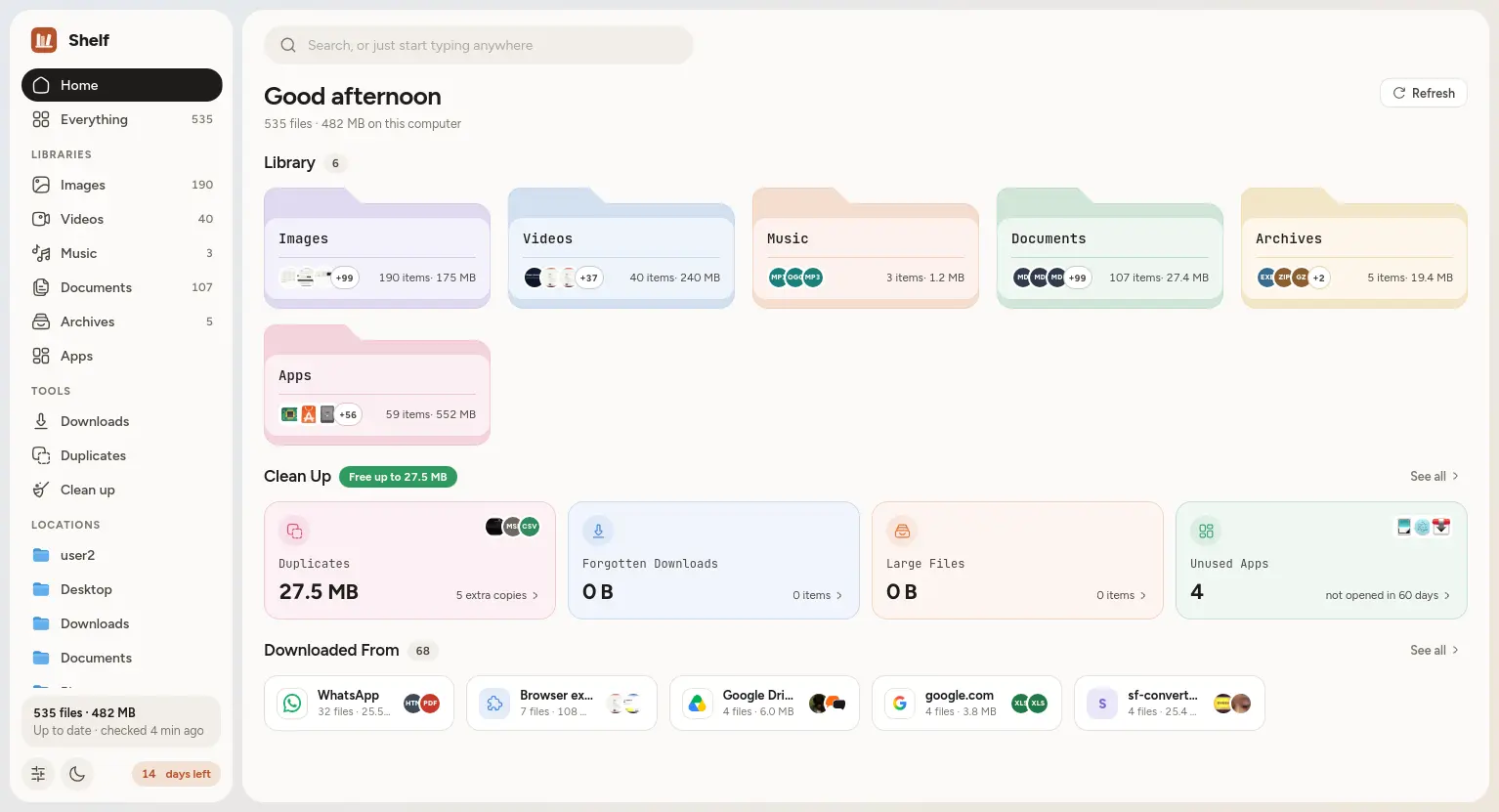
Shelf's Home screen: libraries for images, videos, music, documents, archives and apps, clean up suggestions and download sources
Images Videos Music Documents Archives Apps

Photos, videos, music, documents, zips and apps each get their own shelf, so you can see what you have without opening a single folder.

See it yourself.

A quick look at the real app, nothing staged.

Find anything. Just ask.

Type it the way you'd say it to a friend. Shelf shows you exactly how it understood you, so there are no surprises.

Built for the way you
actually lose files.

Everyday file headaches, each one fixed in a click.

Search

Type it the way
you'd say it.

Write "pdfs from last week" and Shelf turns it into little filters you can actually see: what kind of file, when, how big and where it came from.

  • Knows file types, dates, sizes and where things were downloaded from
  • Looks inside your documents too, not just at their names
  • Finds folders by name as well
No need to click the search box. Just start typing.
Videos
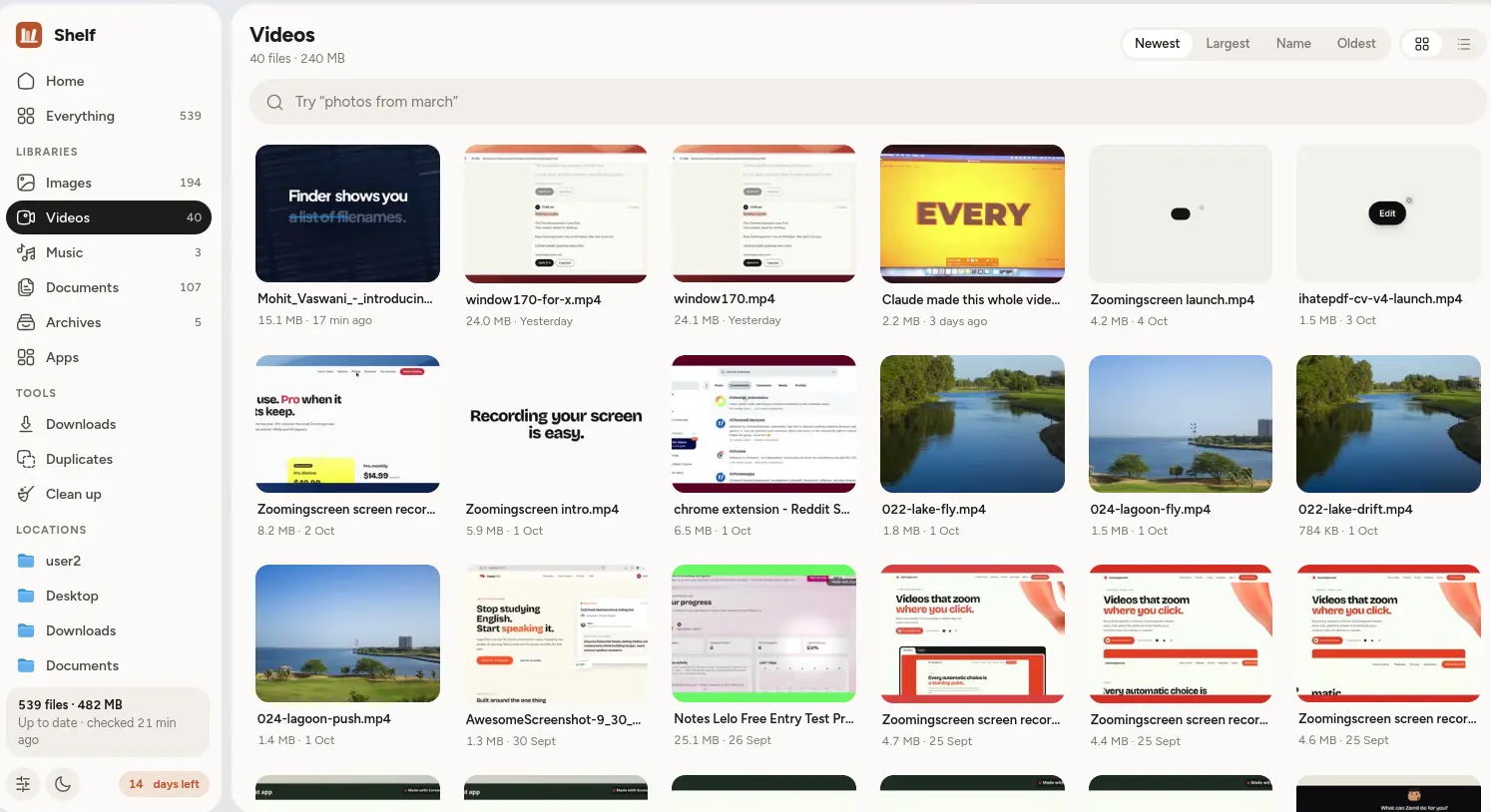
Shelf's Videos library with large thumbnails
Downloads

Remember where
it came from.

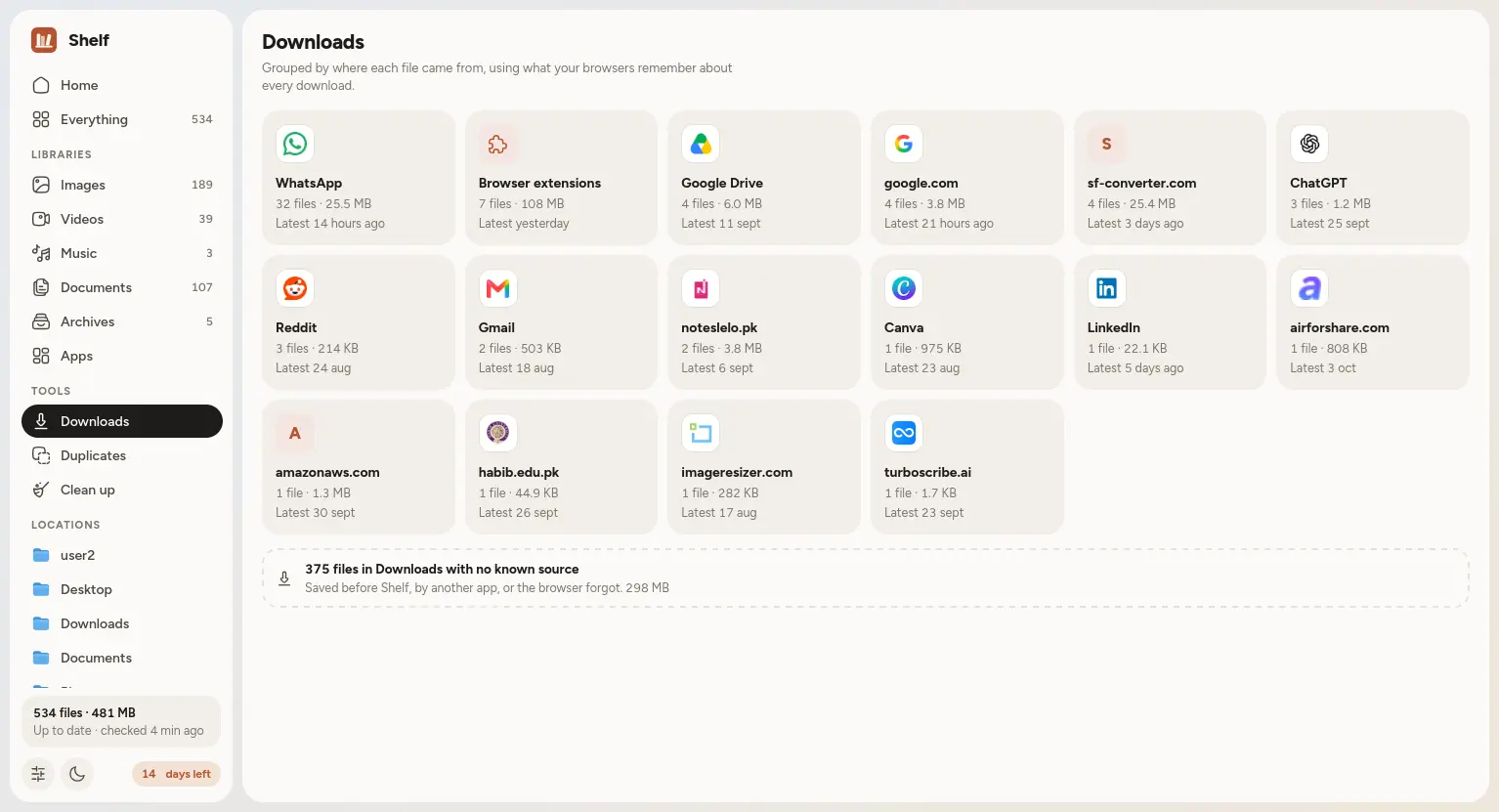
Can't remember the file name, but you know it came from WhatsApp? That's enough. Shelf groups every download by where you got it, with each site's real icon.

  • Works with Chrome, Edge, Firefox and Brave
  • Find that invoice by the email it came in
  • All worked out on your computer, nothing is uploaded
Downloads
Shelf's Downloads view grouping files by WhatsApp, Gmail, Google Drive and other sources
Duplicates

One copy is
plenty.

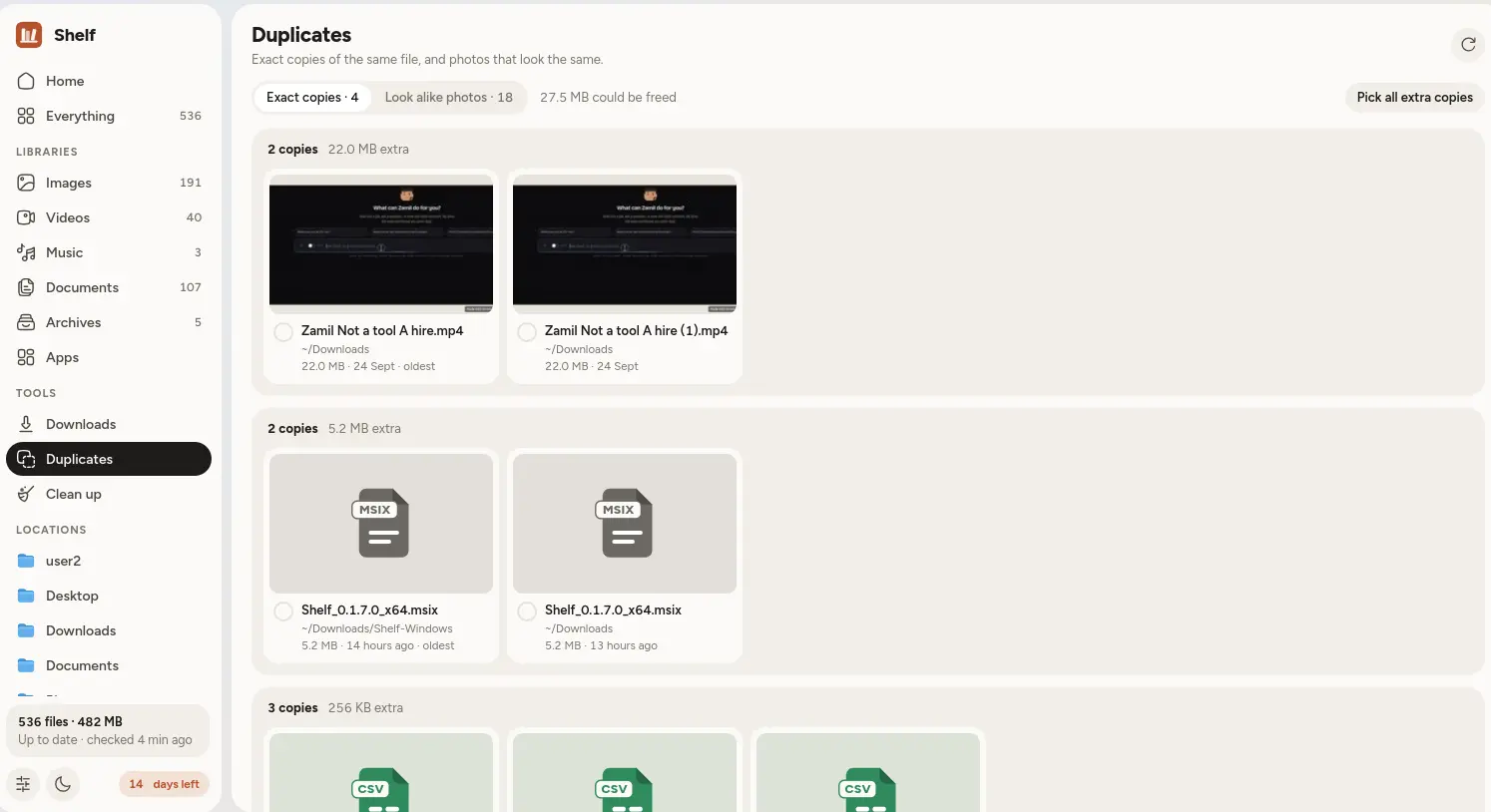
Shelf spots files that are exactly the same, even when they have different names, and photos that look alike.

  • See how much space you'll get back before you touch anything
  • Shelf keeps the oldest copy, or you pick a different one
  • Extras go to the trash, so you can always change your mind
Duplicates
Shelf's Duplicates view showing copies of the same files
Apps

Every app,
in one place.

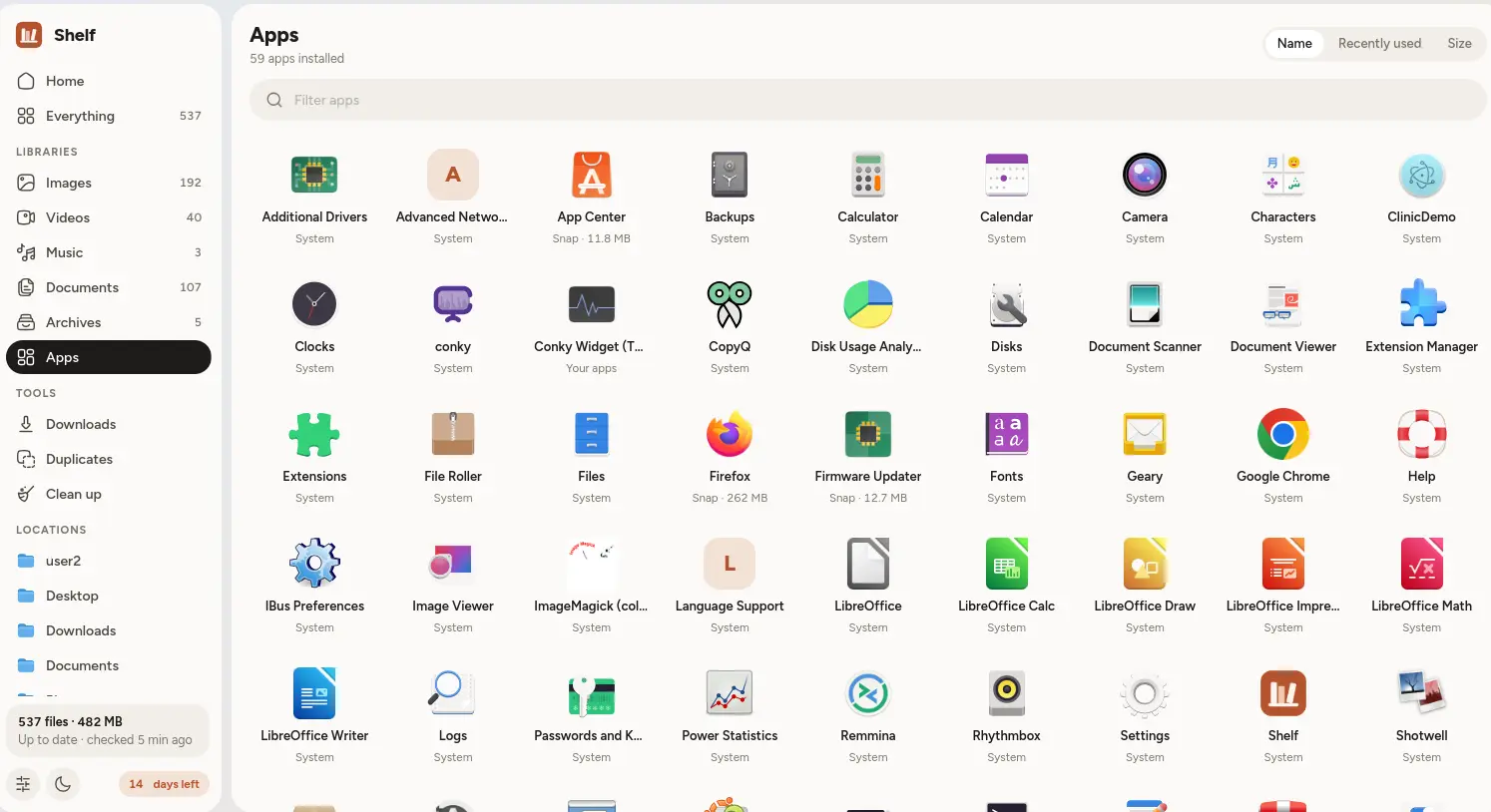
All the apps on your computer with their real icons. Double click one to open it, or spot the ones you haven't used in months.

  • Sort by name, size or when you last used it
  • Apps you never open show up in Clean up
  • Shelf shows you how to remove an app, but never does it behind your back
Apps
Shelf's Apps view with every installed app and its icon
Clean up

Space back,
safely.

Shelf finds the stuff you forgot about and shows you how much room it takes. You look it over and decide. Everything goes to the trash first, so nothing disappears by accident.

Duplicatescopies and look alike photos
Forgotten downloadsuntouched for months
Old installerssetup files you've already used
Large filesbiggest first
Unused appsnot opened in 60 days
Trashput things back, or empty it

Light or dark. Your call.

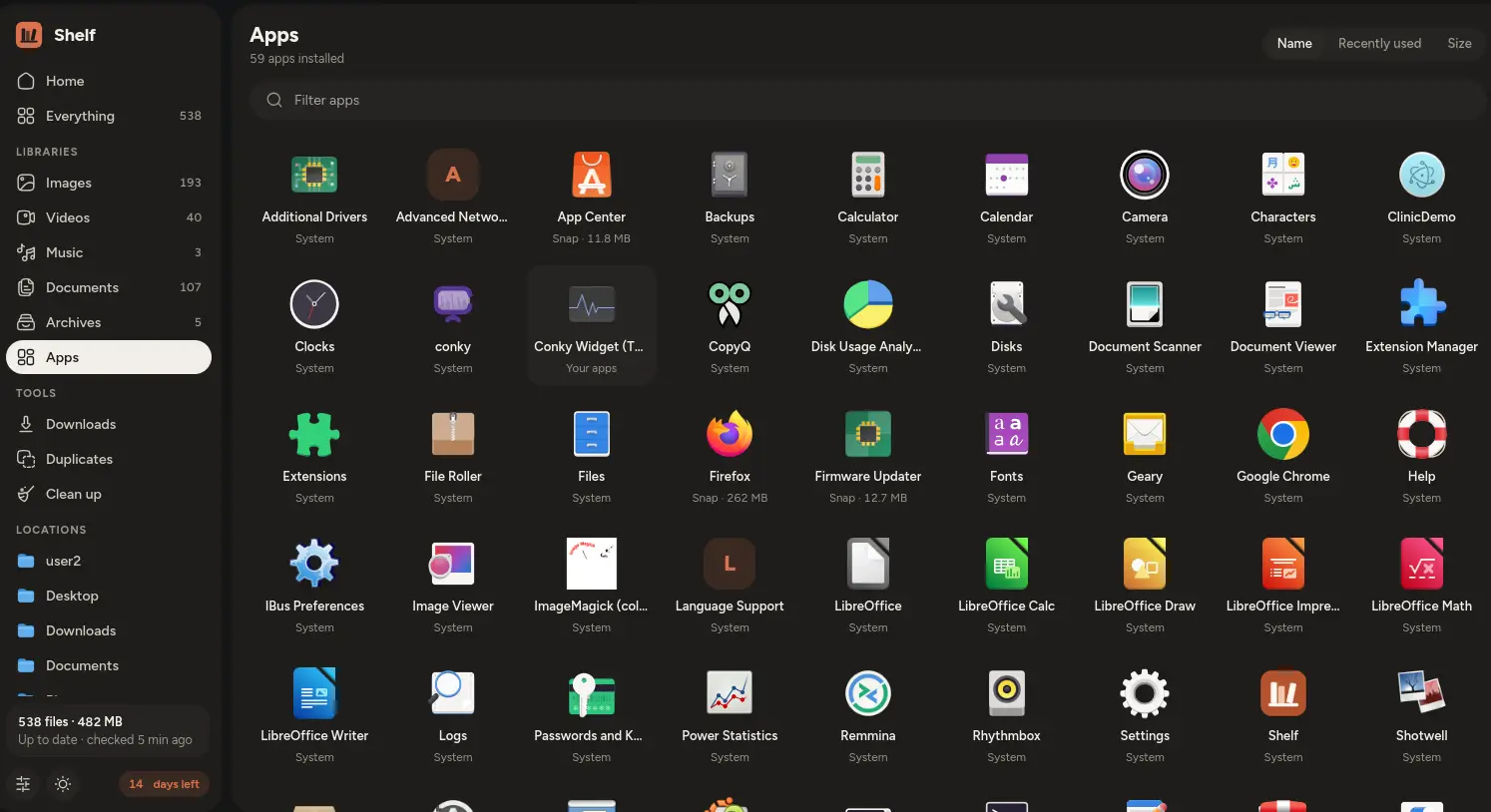
Shelf follows your system, or you can choose. It looks good either way.

Light
Shelf in light mode
Dark
Shelf in dark mode

And everything else.

The little touches that make it feel like home.

A Home that shows everything

Your libraries with real previews, what you could clean up, and where your downloads came from, all on one screen.

Folders, the familiar way

Browse any folder with big previews, as a grid or a list. Double click to go in, and make a new folder in one click.

Opens in your apps

Double click a file and it opens in the app you already use for it. No surprises.

Keeps code out of the way

If you write code, your projects won't clutter your results with thousands of code files. Shelf still finds the videos, music and documents inside them.

Drag and drop

Grab any file in Shelf and drop it into an email, a chat or a website upload.

Always up to date

Save a new file and it shows up within seconds. Nothing to refresh, no button to press.

If you love your keyboard
CtrlKSearch
EnterOpen the selected file
BackspaceUp one folder
CtrlShiftNNew folder
EscClose the details panel
ABCType anywhere to search

Your files stay on your computer.

Shelf looks through your files so you don't have to, and it never sends them anywhere.

On your computer. Always.

Searching, reading text and finding duplicates all happen right on your computer. No account, no cloud, no uploads.

Index and searchStored only on your computer
Duplicate findingFile fingerprints, worked out locally
InternetNot used for your files at all

Nothing gets deleted for good

Removed something by mistake? It's sitting in the trash, ready to put back.

Programs never run by surprise

Double click an installer or a script and Shelf asks before running it.

Small and quick

Under a 10 MB download, and it looks through a normal home folder in seconds.

Windows and Linux

Windows 10 and 11, plus Ubuntu and other modern Linux.

Pricing

One price, every feature, yours to keep.

Shelf
Personal license
Launch price
$4.99one time · no subscription

Shelf is nearly ready. Send me an email and I'll let you know the day it launches.

Questions you might have

Does Shelf replace my file manager?

No, it sits alongside File Explorer or Files. Think of it as a nicer way to see and search your files. "Show in folder" is always one click away.

Do my files get uploaded anywhere?

Never. Everything happens on your computer. Your files, and what's inside them, stay there.

Will it delete my files?

Only if you ask it to, and even then it just moves them to the trash. You can always put them back.

Which systems does it run on?

Windows 10 and 11, and Linux (Ubuntu and other modern distributions, as a .deb or an AppImage). Reading the text inside screenshots and PDFs works on Linux today and is coming to Windows.

Is it a subscription?

No. You pay $4.99 once and it's yours, updates included.

Can I try it first?

Yes. You get a free trial with every feature switched on. If you buy, everything stays just as you left it.

Does it work offline?

Yes. Shelf doesn't need the internet to search, preview or tidy up your files.

I have another question.

Email asadnooby@gmail.com. I made Shelf, and I read every email myself.

Stop searching. Just find it.

Give your files a home that's nice to look at and easy to search.

For Windows 10, 11 and Linux